

Summary
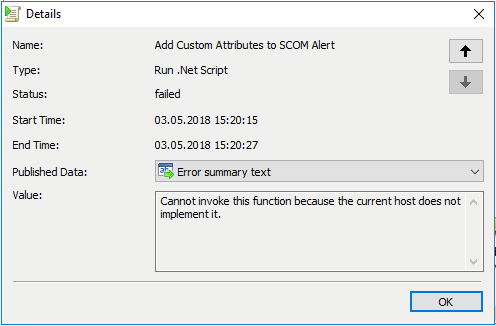
When you implement PowerShell scripts in Microsoft System Orchestrator runbooks, then may be you seen the following error when the runbook are executed.
“Cannot invoke this function because the current host does not implement it”
More Information
Der Error generatet by an “Write-Host” comment outside an invoke command or outside an second PowerShell session of the PowerShell script in the runbook. In my case, the “Write-Host” is available for testing purposes, to check the output of the PowerShell script.
When you run “Write-Host”, PowerShell asked to write on host console but due to no availability in Orchestrator of HOST console, we got error.
Solution
Commend out or delete all “Write-Host” commands outside an invoke command or outside an second PowerShell session.